LaTeX Back End
The following options are available when the LaTeX back end is used. Those can be passed as keywords when calling the function pretty_table:
body_hlines::Vector{Int}: A vector ofIntindicating row numbers in which an additional horizontal line should be drawn after the row. Notice that numbers lower than 1 and equal or higher than the number of printed rows will be neglected. This vector will be appended to the one inhlines, but the indices here are related to the printed rows of the body. Thus, if1is added tobody_hlines, a horizontal line will be drawn after the first data row. (Default =Int[])highlighters::Union{LatexHighlighter, Tuple}: An instance ofLatexHighlighteror a tuple with a list of LaTeX highlighters (see the section LaTeX Highlighters).hlines::Union{Nothing, Symbol, AbstractVector}: This variable controls where the horizontal lines will be drawn. It can benothing,:all,:noneor a vector of integers. (Default =nothing)- If it is
nothing, which is the default, the configuration will be obtained from the table format in the variabletf(seeLatexTableFormat). - If it is
:all, all horizontal lines will be drawn. - If it is
:none, no horizontal line will be drawn. - If it is a vector of integers, the horizontal lines will be drawn only after the rows in the vector. Notice that the top line will be drawn if
0is inhlines, and the header and sub-headers are considered as only 1 row. Furthermore, it is important to mention that the row number in this variable is related to the printed rows. Thus, it is affected by the option to suppress the headernoheader. Finally, for convenience, the top and bottom lines can be drawn by adding the symbols:beginand:endto this vector, respectively, and the line after the header can be drawn by adding the symbol:header.
- If it is
The values of body_hlines will be appended to this vector. Thus, horizontal lines can be drawn even if hlines is :none.
label::AbstractString: The label of the table. If empty, no label will be added. (Default = "")longtable_footer::Union{Nothing, AbstractString}: The string that will be drawn in the footer of the tables before a page break. This only works iftable_typeis:longtable. If it isnothing, no footer will be used. (Default =nothing)row_number_alignment::Symbol: Select the alignment of the row number column (see the section Alignment). (Default =:r)table_type::Union{Nothing, Symbol}: Select which LaTeX environment will be used to print the table. Currently supported options are:tabularfortabularor:longtableforlongtable. If it isnothing, the default option of the table format will be used. (Default =nothing)tf::LatexTableFormat: An instance of the structureLatexTableFormatthat defines the general format of the LaTeX table.vlines::Union{Nothing, Symbol, AbstractVector}: This variable controls where the vertical lines will be drawn. It can be:all,:noneor a vector of integers. In the first case (the default behavior), all vertical lines will be drawn. In the second case, no vertical line will be drawn. In the third case, the vertical lines will be drawn only after the columns in the vector. Notice that the left border will be drawn if0is invlines. Furthermore, it is important to mention that the column number in this variable is related to the printed columns. Thus, it is affected by the columns added using the variableshow_row_number. Finally, for convenience, the left and right border can be drawn by adding the symbols:beginand:endto this vector, respectively. (Default =:none)wrap_table::Union{Nothing, String}: This variable controls whether to wrap the table in a environment defined by the variablewrap_table_environment. Defaults totrue. Whenfalse, the printed table begins with\\begin{tabular}. This option does not work with:longtable. If it isnothing, the default option of the table format will be used. (Default =nothing)wrap_table_environment::Union{Nothing, String}: Environment that will be used to wrap the table if the optionwrap_tableistrue. If it isnothing, the default option of the table format will be used. (Default =nothing)
LaTeX Highlighters
A set of highlighters can be passed as a Tuple to the highlighters keyword. Each highlighter is an instance of the structure LatexHighlighter. It contains the following two fields:
f::Function: Function with the signaturef(data, i, j)in which should returntrueif the element(i, j)indatamust be highlighted, orfalseotherwise.fd::Functions: A function with the signaturef(data, i, j, str)::Stringin whichdatais the matrix,(i, j)is the element position in the table, andstris the data converted to string. This function must return a string that will be placed in the cell.
The function f has the following signature:
f(data, i, j)in which data is a reference to the data that is being printed, i and j are the element coordinates that are being tested. If this function returns true, the highlight style will be applied to the (i, j) element. Otherwise, the default style will be used.
Notice that if multiple highlighters are valid for the element (i, j), the applied style will be equal to the first match considering the order in the Tuple highlighters.
If the function f returns true, the function fd(data, i, j, str) will be called and must return the LaTeX string that will be placed in the cell.
If only a single highlighter is wanted, it can be passed directly to the keyword highlighter without being inside a Tuple.
There are two helpers that can be used to create LaTeX highlighters:
LatexHighlighter(f::Function, envs::Union{String,Vector{String}})
LatexHighlighter(f::Function, fd::Function)
The first will apply recursively all the LaTeX environments in envs to the highlighted text whereas the second let the user select the desired decoration by specifying the function fd.
Thus, for example:
LatexHighlighter((data,i,j)->true, ["textbf", "small"])will wrap all the cells in the table in the following environment:
\textbf{\small{<Cell text>}}If only a single highlighter is wanted, it can be passed directly to the keyword highlighter without being inside a Tuple.
If multiple highlighters are valid for the element (i, j), the applied style will be equal to the first match considering the order in the tuple highlighters.
If the highlighters are used together with Formatters, the change in the format will not affect the parameter data passed to the highlighter function f. It will always receive the original, unformatted value.
julia> t = 0:1:200:1:20julia> data = hcat(t, ones(length(t)) * 1, 1 * t, 0.5 .* t.^2)21×4 Matrix{Float64}: 0.0 1.0 0.0 0.0 1.0 1.0 1.0 0.5 2.0 1.0 2.0 2.0 3.0 1.0 3.0 4.5 4.0 1.0 4.0 8.0 5.0 1.0 5.0 12.5 6.0 1.0 6.0 18.0 7.0 1.0 7.0 24.5 8.0 1.0 8.0 32.0 9.0 1.0 9.0 40.5 ⋮ 12.0 1.0 12.0 72.0 13.0 1.0 13.0 84.5 14.0 1.0 14.0 98.0 15.0 1.0 15.0 112.5 16.0 1.0 16.0 128.0 17.0 1.0 17.0 144.5 18.0 1.0 18.0 162.0 19.0 1.0 19.0 180.5 20.0 1.0 20.0 200.0julia> header = ( ["Time", "Acceleration", "Velocity", "Distance"], [ "[s]", latex_cell"[m/s$^2$]", "[m/s]", "[m]"] )(["Time", "Acceleration", "Velocity", "Distance"], Any["[s]", LatexCell{String}("[m/s\$^2\$]"), "[m/s]", "[m]"])julia> hl_v = LatexHighlighter((data, i, j) -> (j == 3) && data[i, 3] > 9, ["color{blue}","textbf"]);julia> hl_p = LatexHighlighter((data, i, j) -> (j == 4) && data[i, 4] > 10, ["color{red}", "textbf"])LatexHighlighter(Main.var"#3#4"(), PrettyTables.var"#20#21"{Vector{String}}(["color{red}", "textbf"]))julia> hl_e = LatexHighlighter((data, i, j) -> (i == 10), ["cellcolor{black}", "color{white}", "textbf"])LatexHighlighter(Main.var"#5#6"(), PrettyTables.var"#20#21"{Vector{String}}(["cellcolor{black}", "color{white}", "textbf"]))julia> pretty_table(data; backend = Val(:latex), header = header, highlighters = (hl_e, hl_p, hl_v))\begin{tabular}{rrrr} \hline \textbf{Time} & \textbf{Acceleration} & \textbf{Velocity} & \textbf{Distance} \\ \texttt{[s]} & \texttt{[m/s$^2$]} & \texttt{[m/s]} & \texttt{[m]} \\\hline 0.0 & 1.0 & 0.0 & 0.0 \\ 1.0 & 1.0 & 1.0 & 0.5 \\ 2.0 & 1.0 & 2.0 & 2.0 \\ 3.0 & 1.0 & 3.0 & 4.5 \\ 4.0 & 1.0 & 4.0 & 8.0 \\ 5.0 & 1.0 & 5.0 & \color{red}{\textbf{12.5}} \\ 6.0 & 1.0 & 6.0 & \color{red}{\textbf{18.0}} \\ 7.0 & 1.0 & 7.0 & \color{red}{\textbf{24.5}} \\ 8.0 & 1.0 & 8.0 & \color{red}{\textbf{32.0}} \\ \cellcolor{black}{\color{white}{\textbf{9.0}}} & \cellcolor{black}{\color{white}{\textbf{1.0}}} & \cellcolor{black}{\color{white}{\textbf{9.0}}} & \cellcolor{black}{\color{white}{\textbf{40.5}}} \\ 10.0 & 1.0 & \color{blue}{\textbf{10.0}} & \color{red}{\textbf{50.0}} \\ 11.0 & 1.0 & \color{blue}{\textbf{11.0}} & \color{red}{\textbf{60.5}} \\ 12.0 & 1.0 & \color{blue}{\textbf{12.0}} & \color{red}{\textbf{72.0}} \\ 13.0 & 1.0 & \color{blue}{\textbf{13.0}} & \color{red}{\textbf{84.5}} \\ 14.0 & 1.0 & \color{blue}{\textbf{14.0}} & \color{red}{\textbf{98.0}} \\ 15.0 & 1.0 & \color{blue}{\textbf{15.0}} & \color{red}{\textbf{112.5}} \\ 16.0 & 1.0 & \color{blue}{\textbf{16.0}} & \color{red}{\textbf{128.0}} \\ 17.0 & 1.0 & \color{blue}{\textbf{17.0}} & \color{red}{\textbf{144.5}} \\ 18.0 & 1.0 & \color{blue}{\textbf{18.0}} & \color{red}{\textbf{162.0}} \\ 19.0 & 1.0 & \color{blue}{\textbf{19.0}} & \color{red}{\textbf{180.5}} \\ 20.0 & 1.0 & \color{blue}{\textbf{20.0}} & \color{red}{\textbf{200.0}} \\\hline \end{tabular}
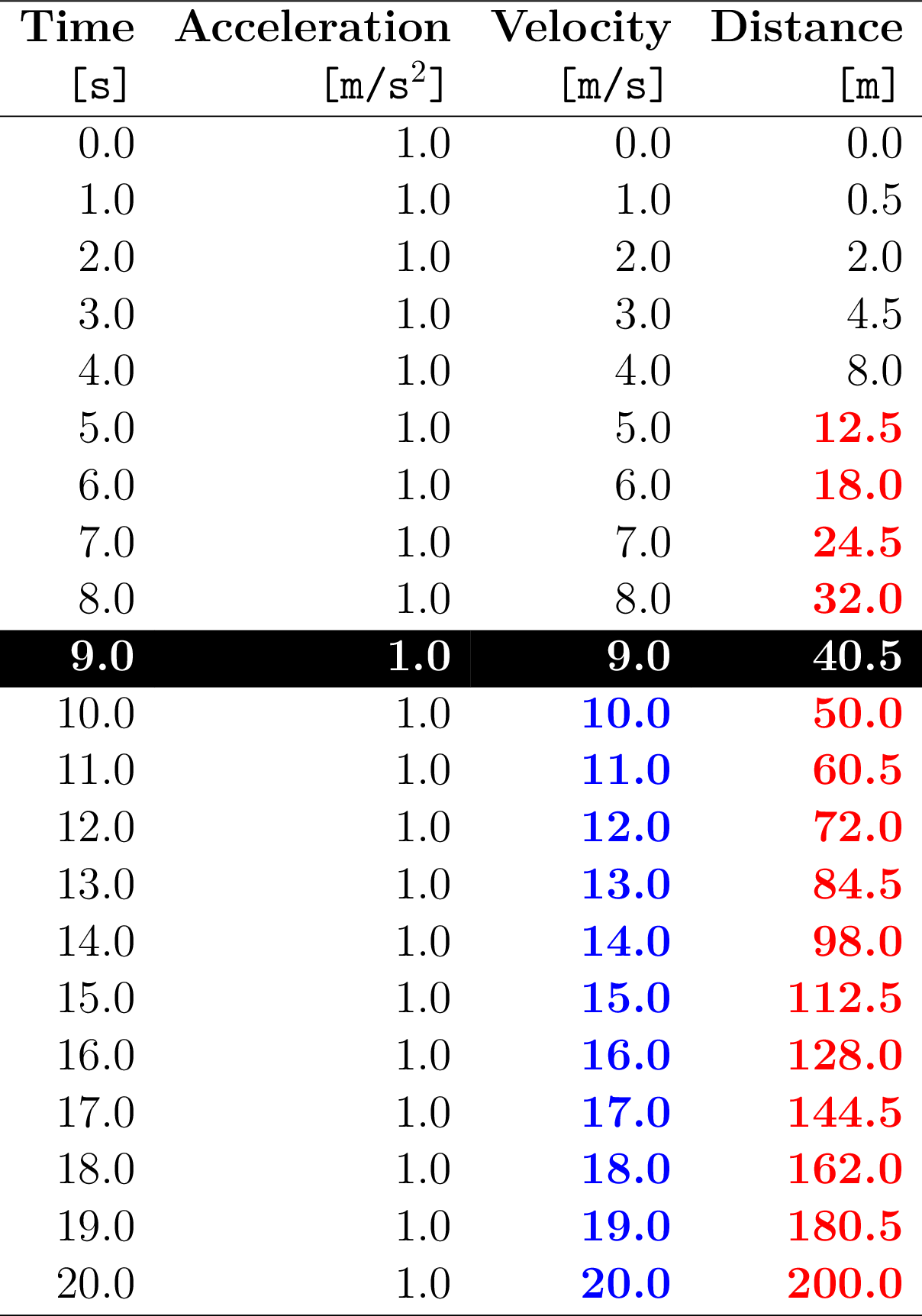
The following LaTeX packages are required to render this example: colortbl and xcolor.
PrettyTables and Latexify (LaTeXStrings)
To work with LaTeXStrings, you must wrap them in LatexCells. Otherwise, special LaTeX characters are converted or escaped.
julia> using PrettyTables, Latexifyjulia> c1 = LatexCell.([latexify("α"), latexify("β")]);julia> c2 = [0.0, 1.0];julia> pretty_table([c1 c2], backend = Val(:latex))\begin{tabular}{rr} \hline \textbf{Col. 1} & \textbf{Col. 2} \\\hline $\alpha$ & 0.0 \\ $\beta$ & 1.0 \\\hline \end{tabular}
LaTeX Table Formats
The following table formats are available when using the LaTeX back end:
tf_latex_default (Default)
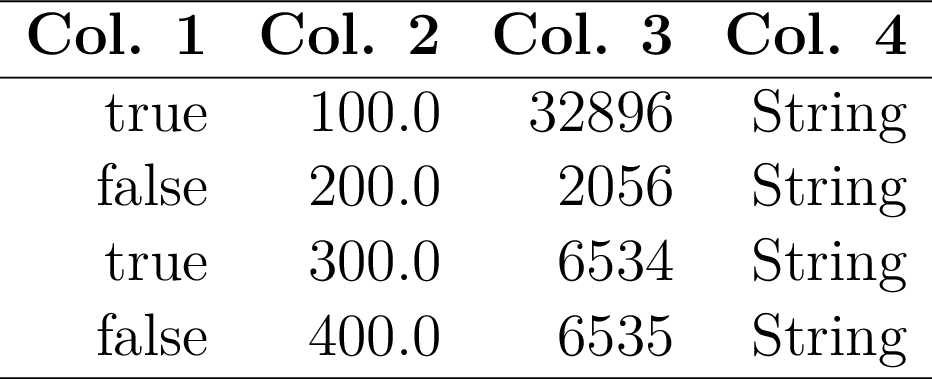
tf_latex_double
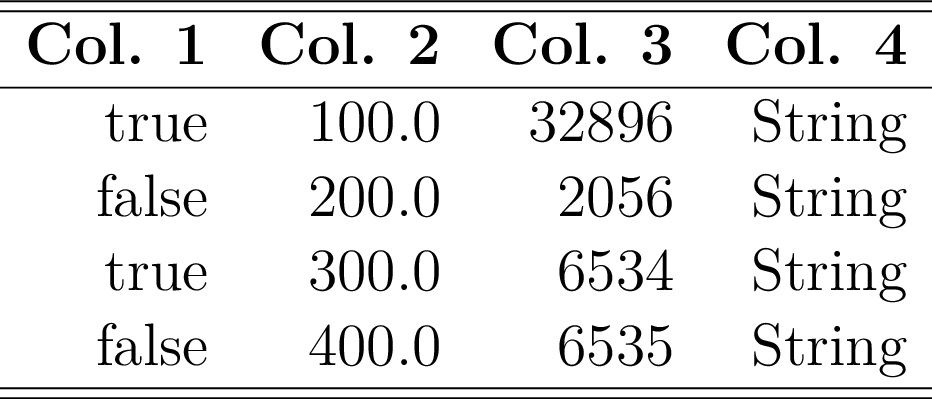
tf_latex_modern
You need the LaTeX package array to use the vertical divisions with this format.
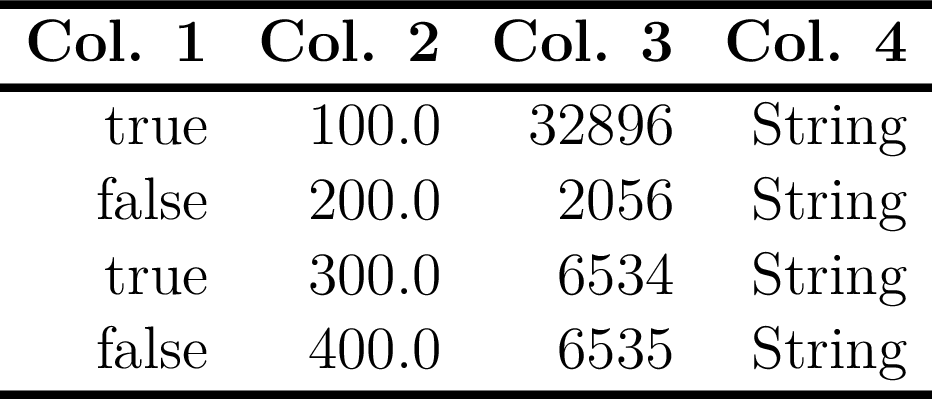
tf_latex_booktabs
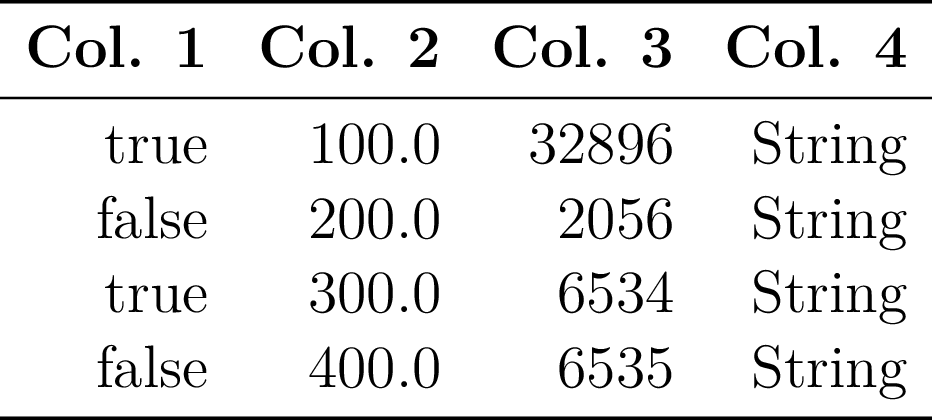
You need the LaTeX package booktabs to render this format.