Text Backend Examples
Here, we can see some examples of text tables generated by PrettyTables.jl. The A object, when referenced, is defined as:
julia> A = Any[
    1    false      1.0     0x01
    2     true      2.0     0x02
    3    false      3.0     0x03
    4     true      4.0     0x04
    5    false      5.0     0x05
    6     true      6.0     0x06
]
julia> pretty_table(A)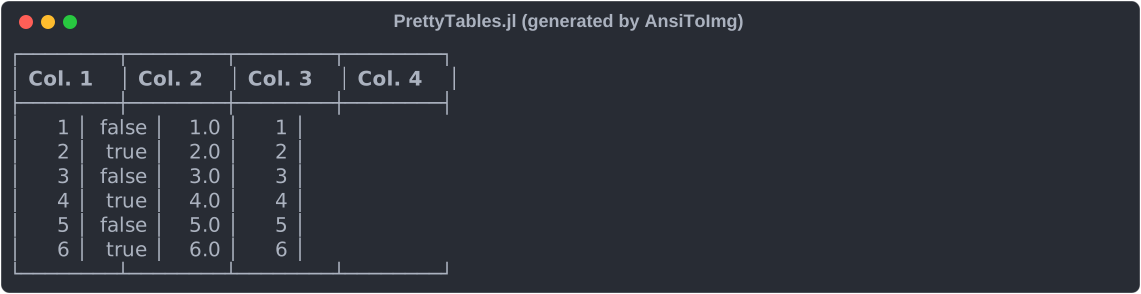
julia> pretty_table(A; style = TextTableStyle(; table_border = Face(; foreground = :yellow)))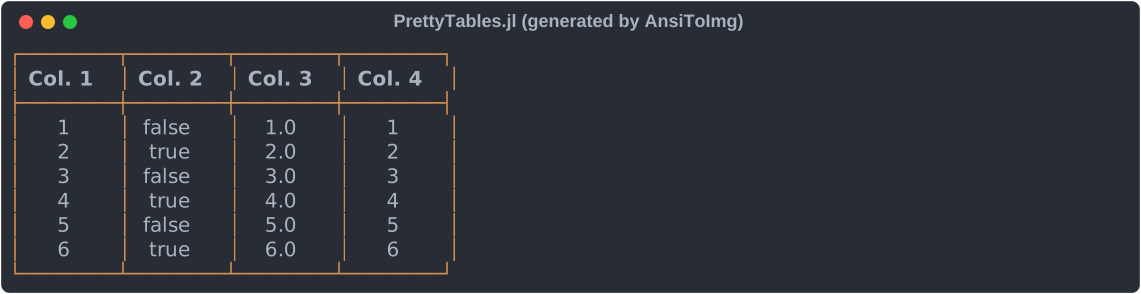
julia> data = [
    10.0 6.5
     3.0 3.0
     0.1 1.0
]

julia> row_labels = [
    "Atmospheric drag"
    "Gravity gradient"
    "Solar radiation pressure"
]

julia> column_labels = [
    [MultiColumn(2, "Value", :c)],
    [
        "Torque [10⁻⁶ Nm]",
        "Angular Momentum [10⁻³ Nms]"
    ]
]

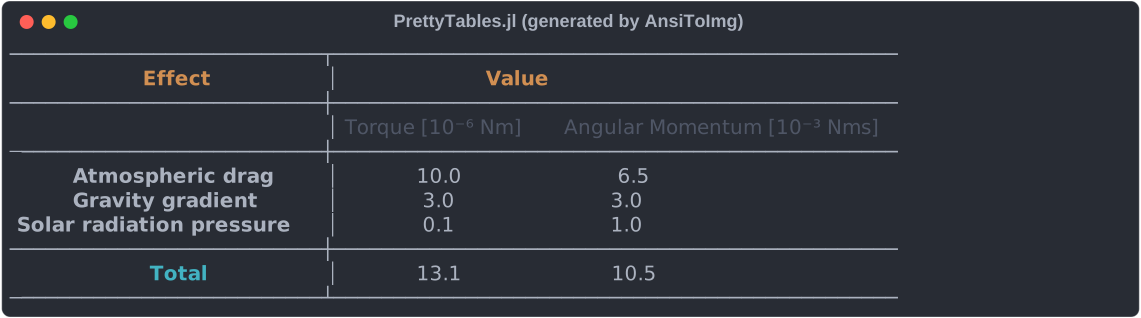
julia> pretty_table(
    data;
    column_labels,
    merge_column_label_cells = :auto,
    row_labels,
    stubhead_label = "Effect",
    style = TextTableStyle(;
        first_line_merged_column_label = Face(; weight = :bold, foreground = :yellow),
        stubhead_label = Face(; weight = :bold, foreground = :yellow),
        summary_row_label = Face(; weight = :bold, foreground = :cyan)
    ),
    summary_row_labels = ["Total"],
    summary_rows = [(data, i) -> sum(data[:, i])],
    table_format = TextTableFormat(;
        @text__no_vertical_lines,
        horizontal_lines_at_column_labels = [1],
        vertical_line_after_row_label_column = true
    ),
)
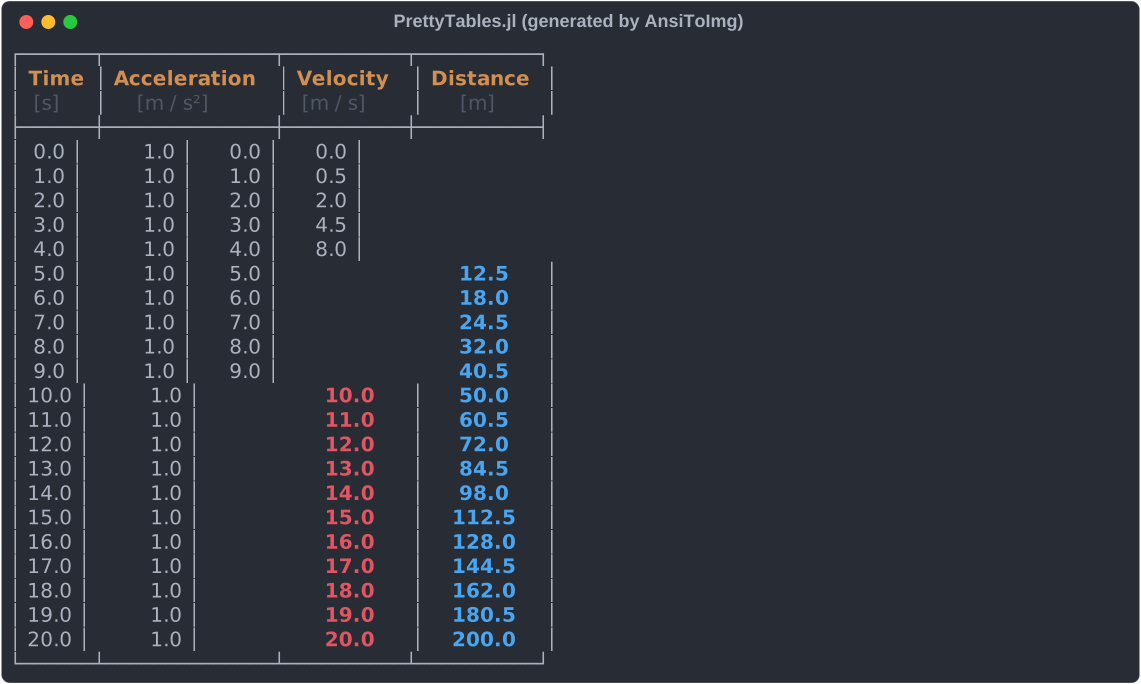
julia> t = 0:1:20

julia> data = hcat(t, ones(length(t) ), t, 0.5.*t.^2);

julia> column_labels = [
    ["Time", "Acceleration", "Velocity", "Distance"],
    [ "[s]",     "[m / s²]",  "[m / s]",      "[m]"]
]

julia> hl_p = TextHighlighter(
    (data, i, j) -> (j == 4) && (data[i, j] > 9),
    Face(; weight = :bold, foreground = :blue)
)

julia> hl_v = TextHighlighter(
    (data, i, j) -> (j == 3) && (data[i, j] > 9),
    Face(; weight = :bold, foreground = :red)
)

julia> pretty_table(
    data;
    column_labels = column_labels,
    highlighters  = [hl_p, hl_v],
    style = TextTableStyle(;
        first_line_column_label = Face(; weight = :bold, foreground = :yellow),
    )
)
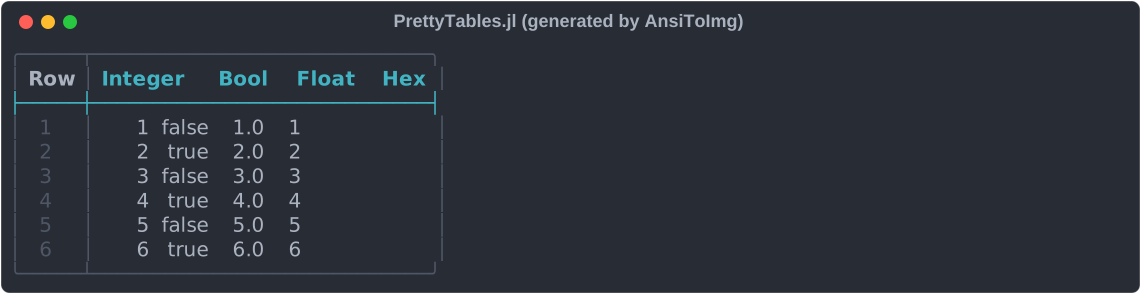
This example uses options that are specific to the text back end: the predefined rounded borders and the faces of the table border and of the line after the column labels.
julia> pretty_table(
    A;
    column_labels = ["Integer", "Bool", "Float", "Hex"],
    show_row_number_column = true,
    style = TextTableStyle(;
        first_line_column_label = Face(; weight = :bold, foreground = :cyan),
        header_line             = Face(; foreground = :cyan),
        row_number              = Face(; foreground = :bright_black),
        table_border            = Face(; foreground = :bright_black),
    ),
    table_format = TextTableFormat(;
        borders = text_table_borders__unicode_rounded,
        vertical_lines_at_data_columns = :none,
    ),
)